Prerequisites
- Server requirements
- JuggleIM has no mandatory server specification, but a host with 4 CPU cores and 8 GB of memory is recommended.
- Operating system
- Any mainstream Linux distribution, such as CentOS or Ubuntu.
- Network requirements
- A public IP address is required unless the deployment is used only on a private network. Open the required access ports.
Download the Installation Package
Download: https://juggle.im/docs/guide/deploy/releasenodes/
#Download the installation package
wget https://downloads.juggle.im/server/linux/amd64/juggleim-1.8.6.tar.gz

#Extract
tar -xvf juggleim-1.8.6.tar.gz
Directory layout:
- /conf: Configuration directory, including a sample configuration file.
- /imserver: JuggleIM executable.
- /sql: MySQL initialization scripts.
- /logs: Log output directory.
Install Dependencies
- MySQL (required)
- Version 8.x or later.
- Installation steps are omitted.
- Initialize the database with the files in the deployment package's
sqldirectory.
- MongoDB (optional)
- Installation steps are omitted.
- HBase (optional)
- Installation steps are omitted.
- ZooKeeper (optional)
- Installation steps are omitted.
Configuration File
# IM cluster name
clusterName: jim_cluster

# IM node name; each node name must be unique within the cluster
nodeName: jim_node_01

# Deployment mode: single for standalone mode; cluster for cluster mode
clusterMod: single

# Private IP address and RPC listening port of this node
nodeHost: 127.0.0.1
nodePort: 8888

# Message-data storage engine: mysql, mongo, or hbase
msgStoreEngine: mysql

# Cluster mode requires ZooKeeper for node registration and discovery; ignore this setting in standalone mode
zookeeper:
  address: 127.0.0.1:2181

# Log output directory
log:
  logPath: ./logs
  logName: im-server

# (Optional) Built-in time-series database for temporary storage of visualization logs and statistics
kvdb:
  isOpen: true
  dataPath: ./kvdb_data

# MySQL configuration
mysql:
  user: db_user
  password: db_pwd
  address: mysql_host:3306
  name: jim_db

# (Optional) MongoDB configuration; required when msgStoreEngine is mongo
mongodb:
  address: mongodb_host:27017
  name: db_name

# (Optional) HBase configuration; required when msgStoreEngine is hbase
hbase:
  address: hbase_host:2181

# IM persistent-connection (WebSocket) ports: 9002 for internal traffic and 9003 for external traffic. Expose 9003 publicly for client SDK connections
connectManager:
  wsPort: 9002
  proxyPort: 9003

# Listening port for the IM server API gateway
apiGateway:
  httpPort: 8082

# Listening port for the IM Admin Console
adminGateway:
  httpPort: 8090
Start the Service
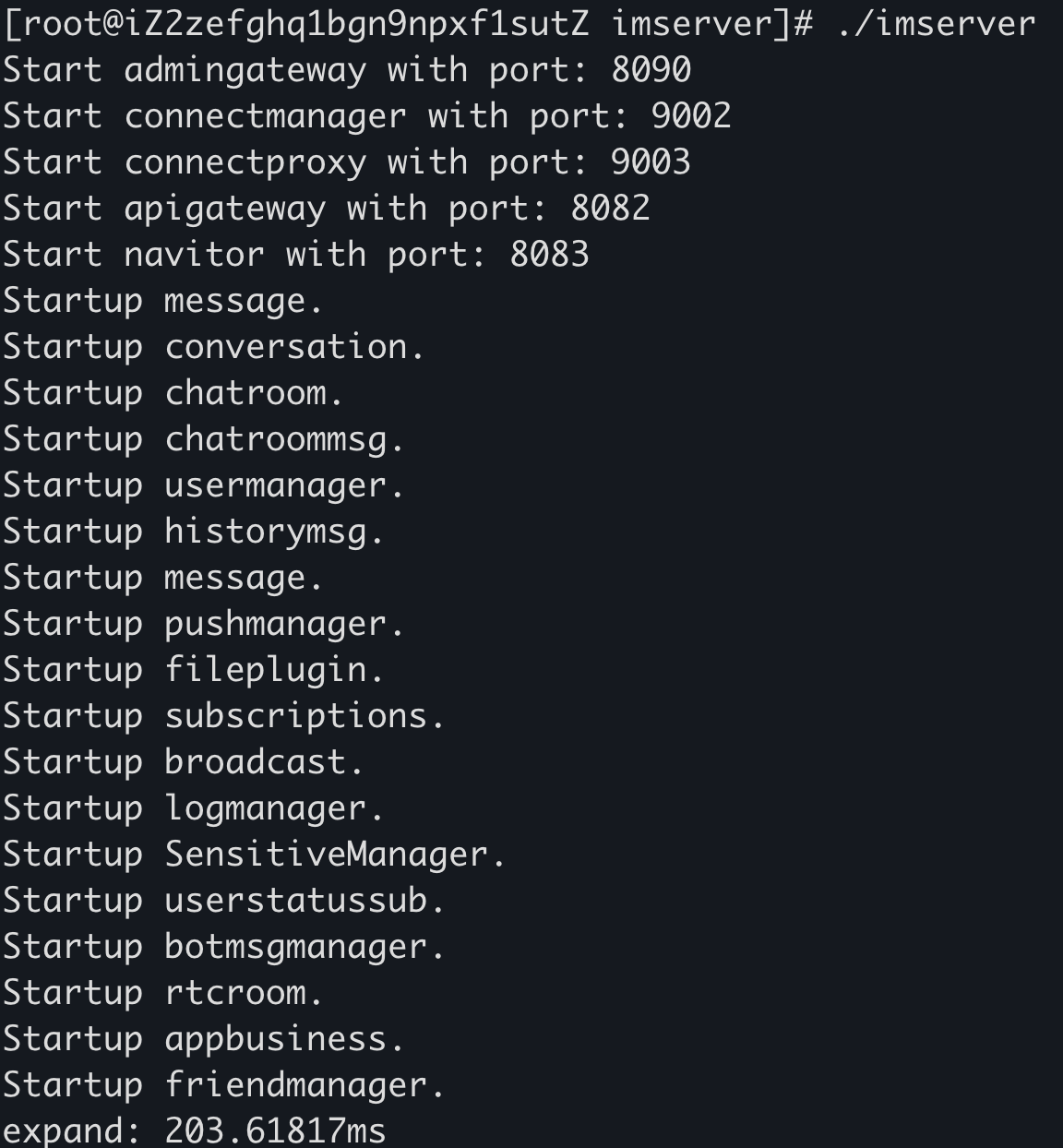
Run imserver directly from the deployment directory, as shown below:
Import an Application
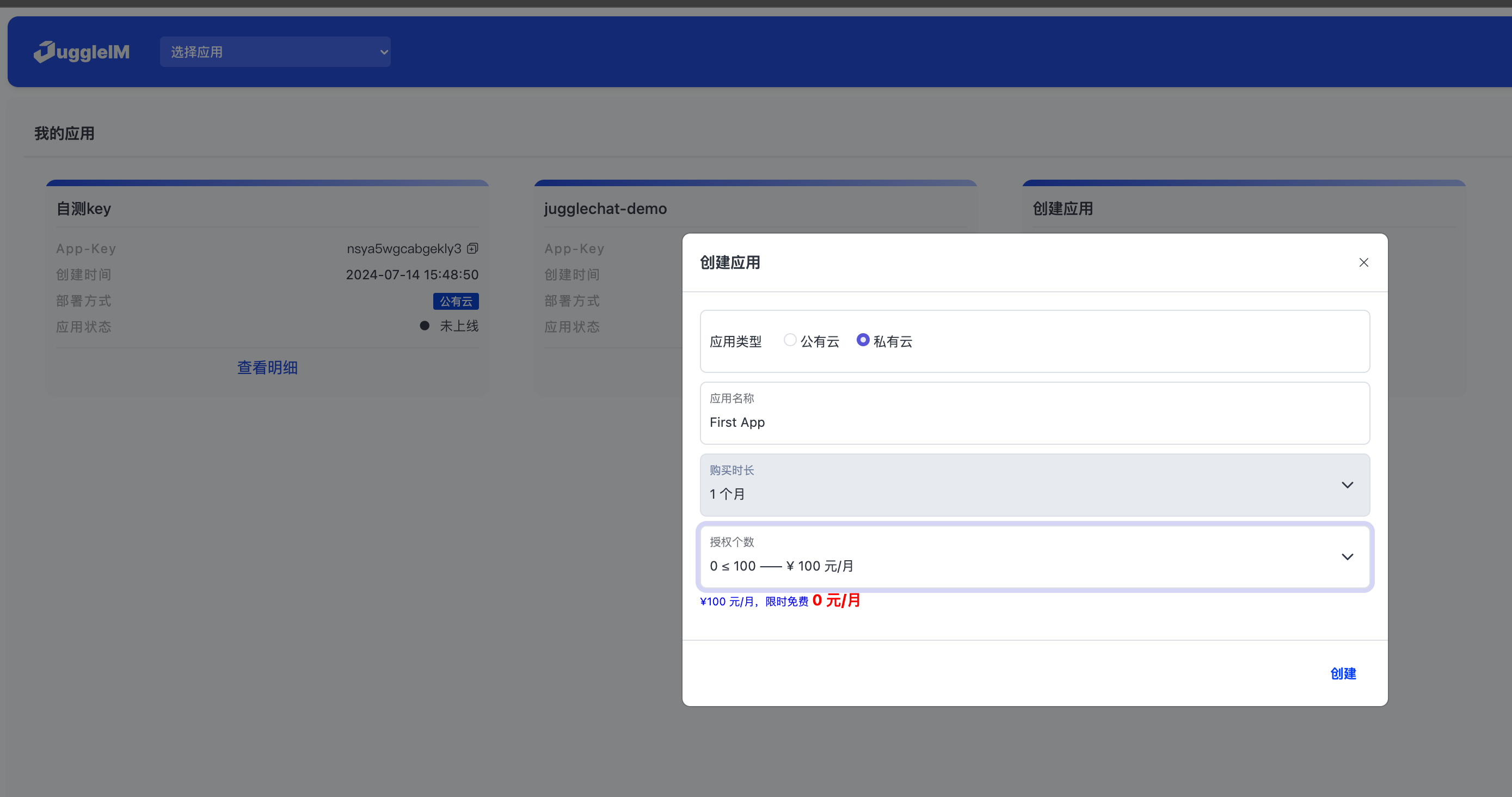
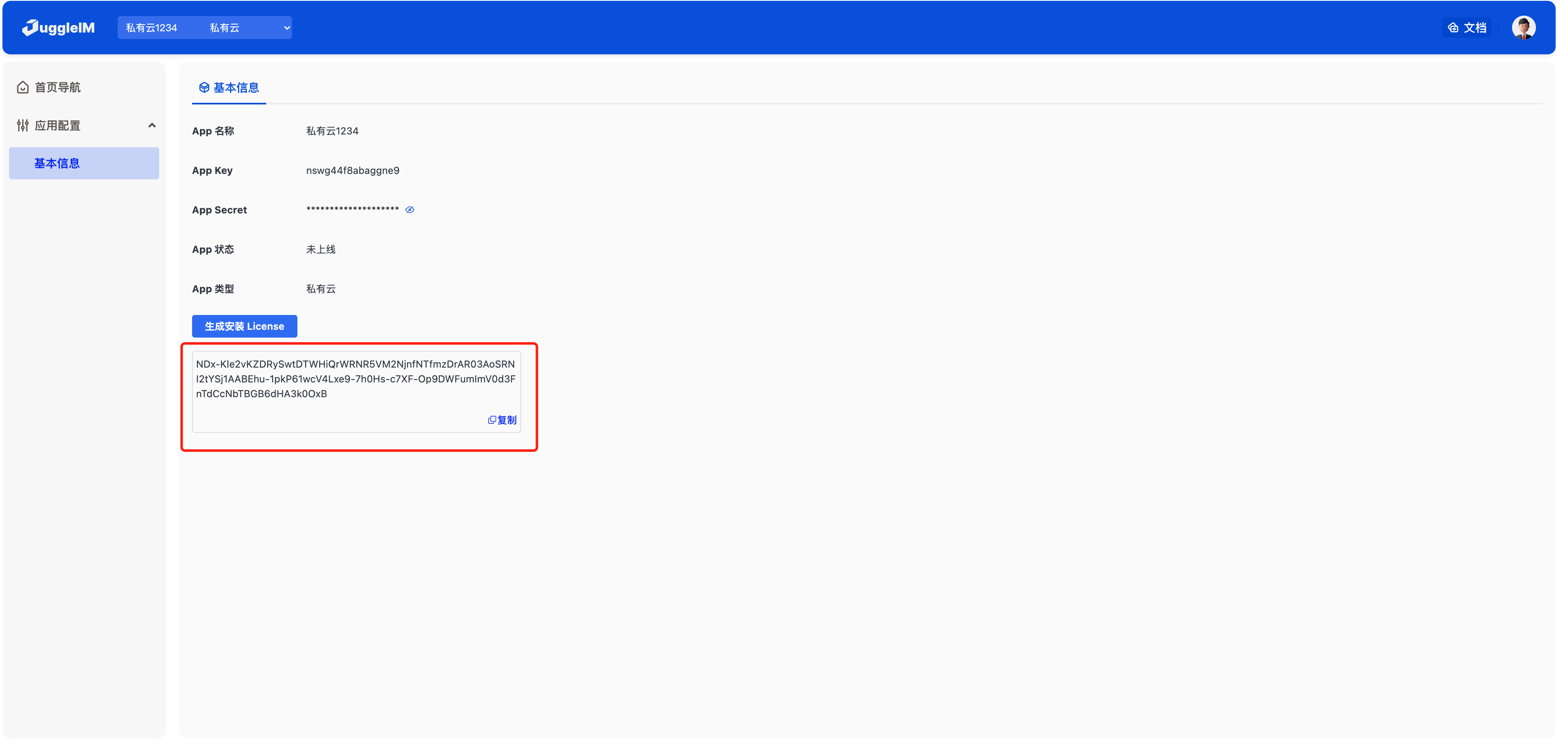
JuggleIM is a multi-tenant system. A private deployment can contain multiple isolated applications. To create an application, request a license from the Admin Console. Follow these steps:
1. Create an application in the Admin Console (select private cloud)
2. Generate an installation license
3. Sign in to the private-deployment Admin Console
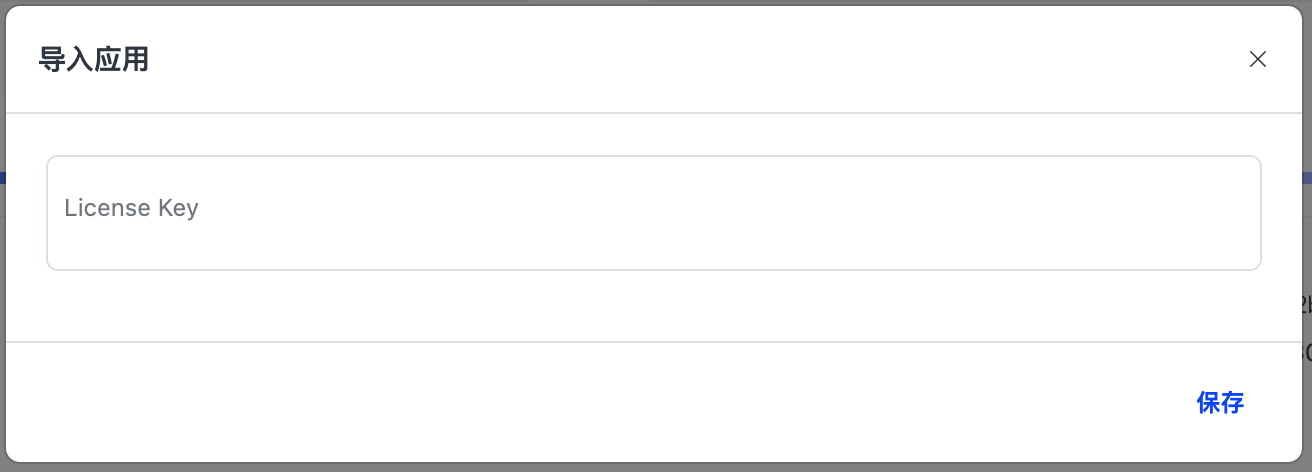
After a private JuggleIM deployment, port 8090 exposes the Admin Console. For example: http://127.0.0.1:8090. The default credentials are admin/123456.
After signing in, select Import Application and enter the license.
Ports
| Port | Protocol | Description |
|---|---|---|
| 9003 | websocket | IM persistent-connection address for client SDKs. For a cluster deployment, use a load balancer and expose its IP address or domain name. |
| 8082 | http | IM server API address for calls from the business server. Cluster deployments also require a load balancer. |
| 8090 | http | IM Admin Console address. Cluster deployments require a load balancer. |
Choose a Message Storage Engine
JuggleIM message data supports three storage engines: MySQL, MongoDB, and HBase. The following table lists their approximate workload ranges for reference.
| Storage engine | Recommended workload |
|---|---|
| MySQL | 1. Fewer than 1 billion messages per day; 2. Fewer than 30,000 daily active users. |
| MongoDB | 1. Fewer than 10 billion messages per day; 2. Fewer than 500,000 daily active users. |
| HBase | 1. More than 10 billion messages per day; 2. More than 500,000 daily active users. |
- Prerequisites
- Download the Installation Package
- Install Dependencies
- Configuration File
- Start the Service
- Import an Application
- 1. Create an application in the Admin Console (select private cloud)
- 2. Generate an installation license
- 3. Sign in to the private-deployment Admin Console
- Ports
- Choose a Message Storage Engine