Prerequisites
- Create an application in the
Admin Consoleto obtain anAppKeyandSecret.
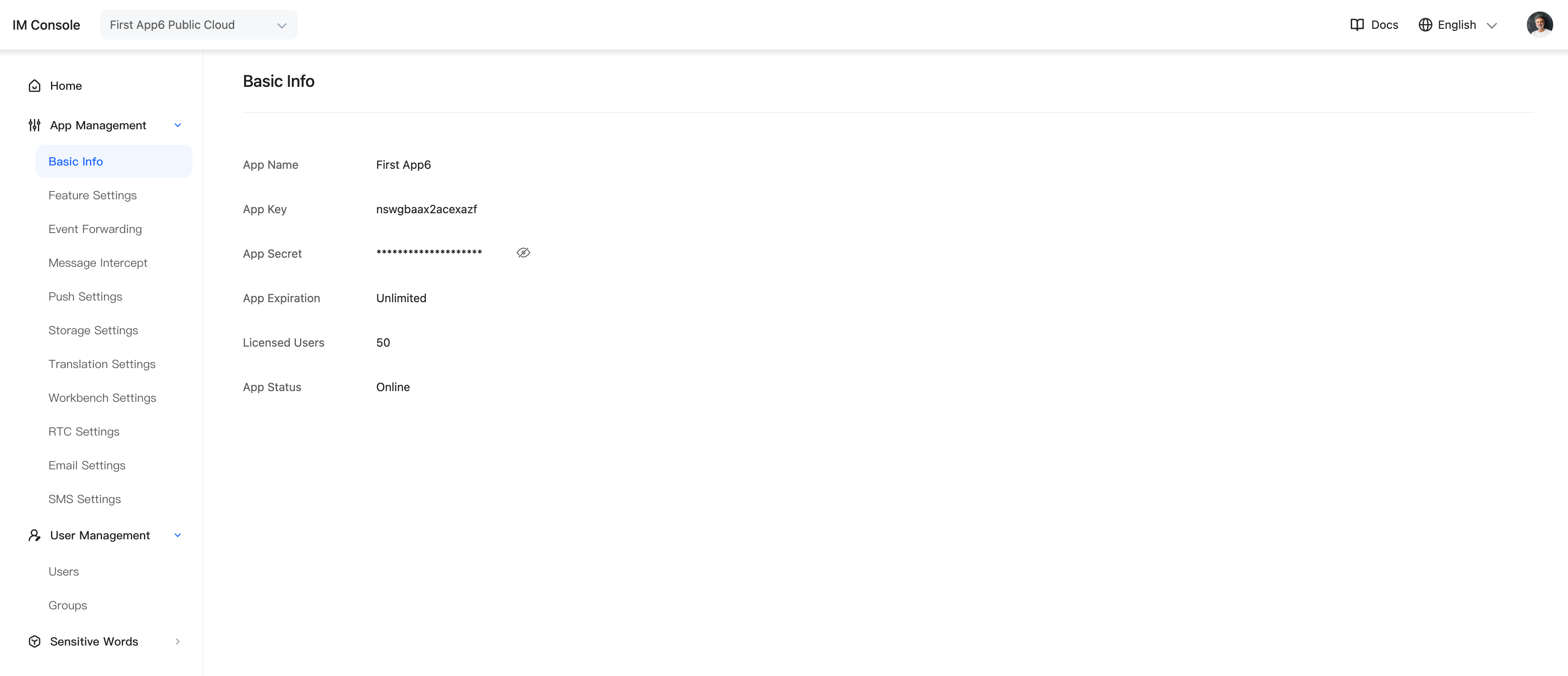
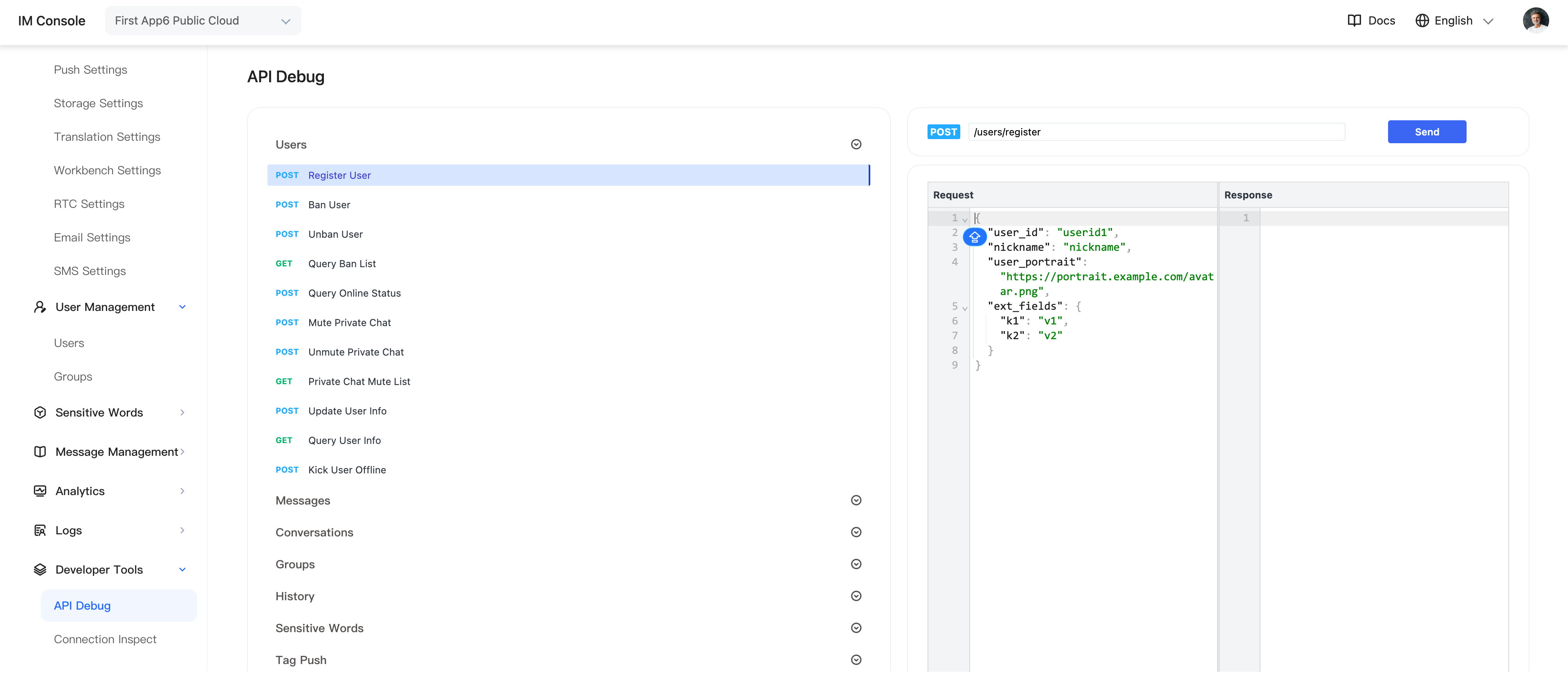
- Call the server API to obtain tokens, or in the Admin Console select Application > Developer Tools > API > Users, then call the user-registration API to obtain two test tokens.
- Complete the integration by following the documentation.
Workflow
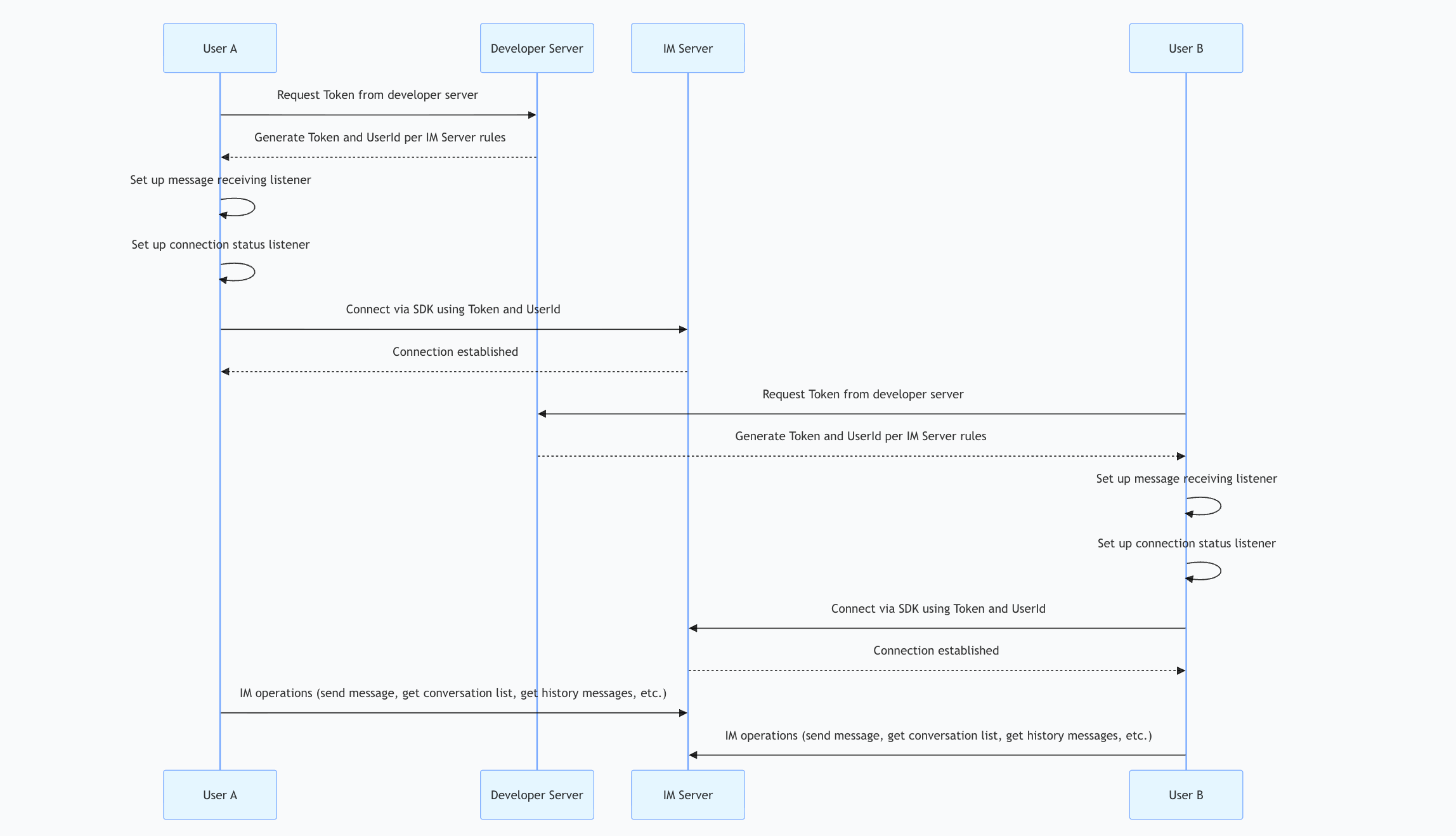
Add Dependencies
In addition to importing the SDK, add the following dependency.
# pubspec.yaml
dependencies:
  juggle_im: 0.0.63
Example
await JuggleIm.instance.setServers(["wss://ws.im.com"]);// "wss://ws.im.com" replace with the deployed server URL
await JuggleIm.instance.init("appkey");
JuggleIm.instance.onConnectionStatusChange = (int connectionStatus, int code, String extra){
  if(connectionStatus == SDKConnectionStatus.CONNECTED){
    // connected
  }
  if(connectionStatus == SDKConnectionStatus.CONNECTING){
    // connecting
  }
  if(connectionStatus == SDKConnectionStatus.DISCONNECTED){
    // disconnected
  }
  if(connectionStatus == SDKConnectionStatus.FAILURE){
    // connection failed; code contains the error code and extra contains the error message
  }
};
await JuggleIm.instance.connect("token");
If the connection fails, see connection error codes for details about code.