Workflow
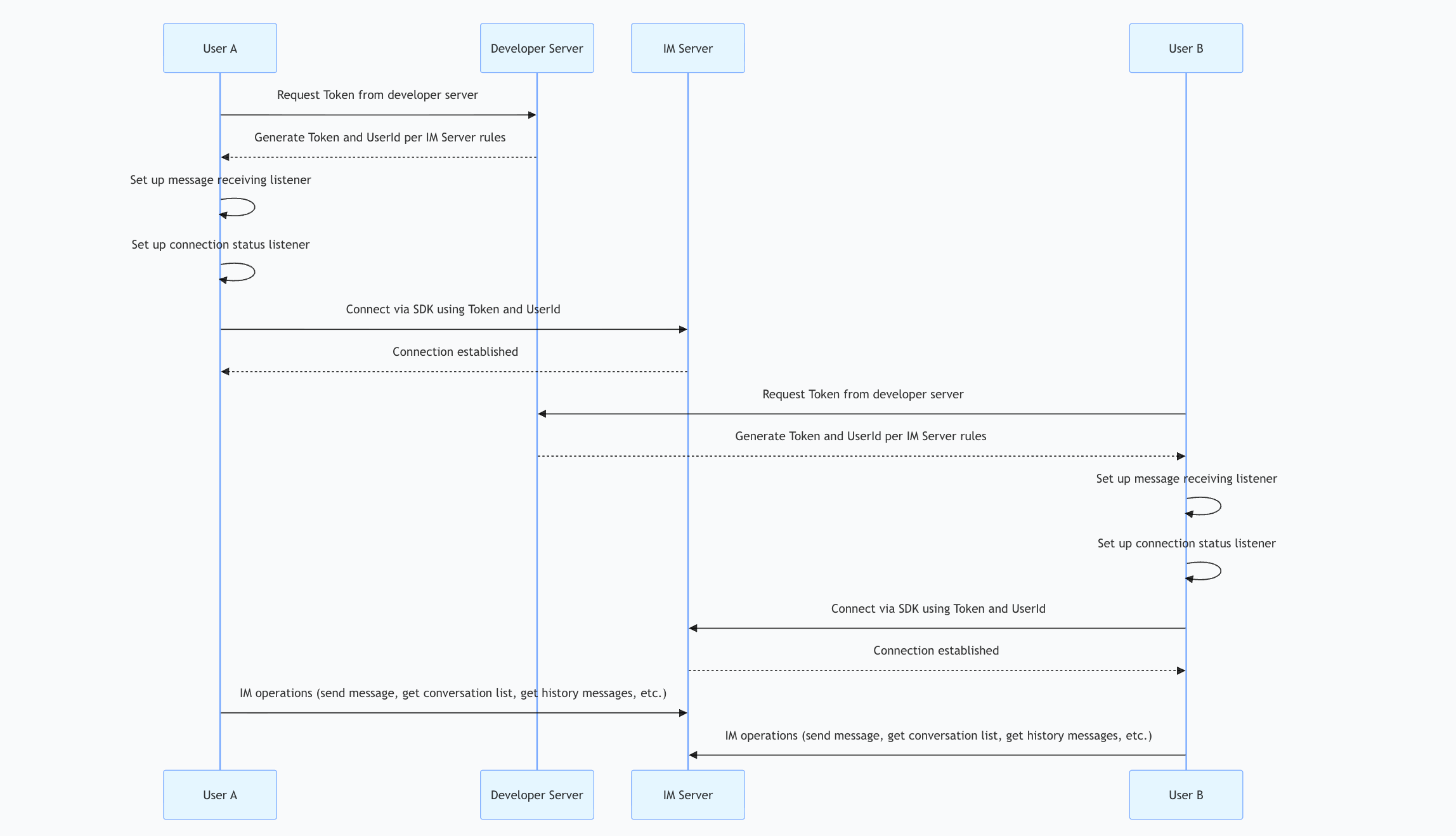
Step-by-Step Integration
- Step 1
- Step 2
- Step 3
- Step 4
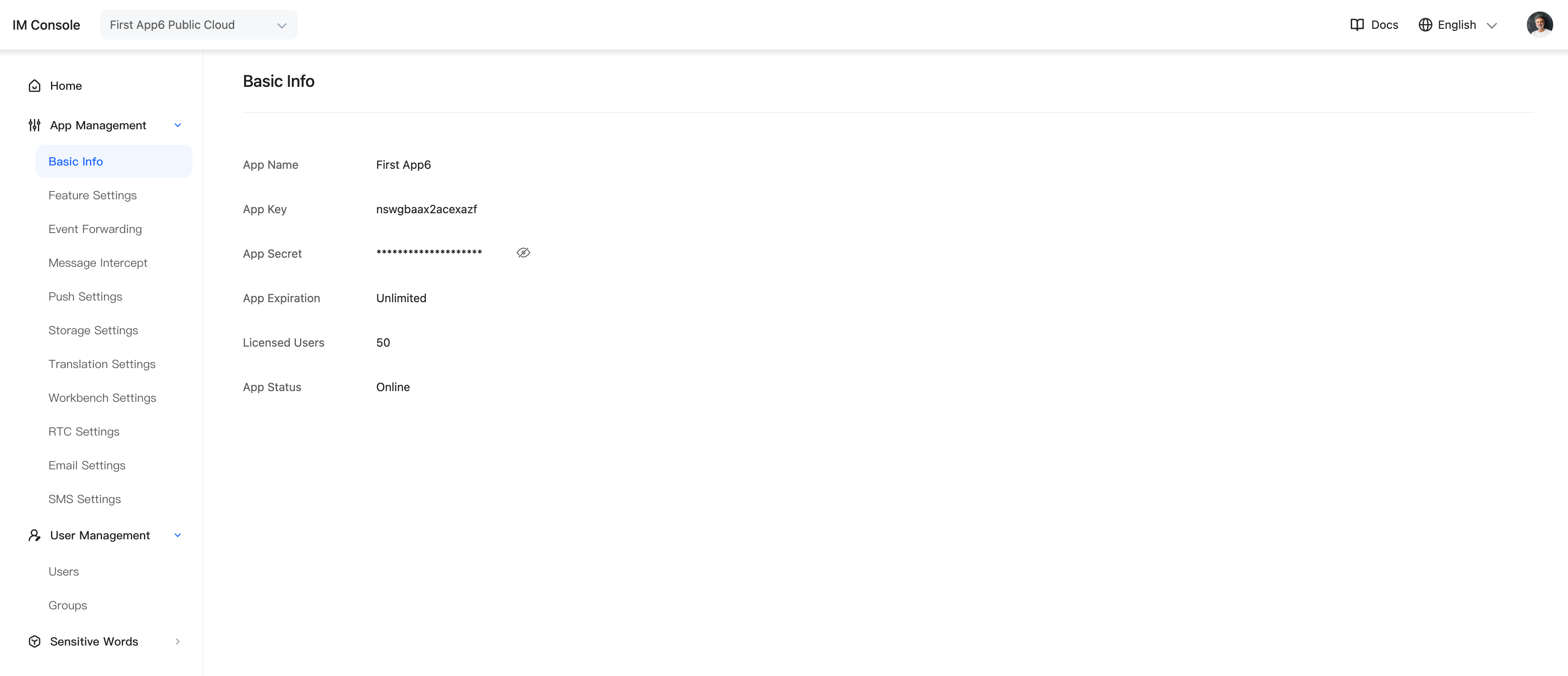
Create an application in the Admin Console to obtain an AppKey and Secret.
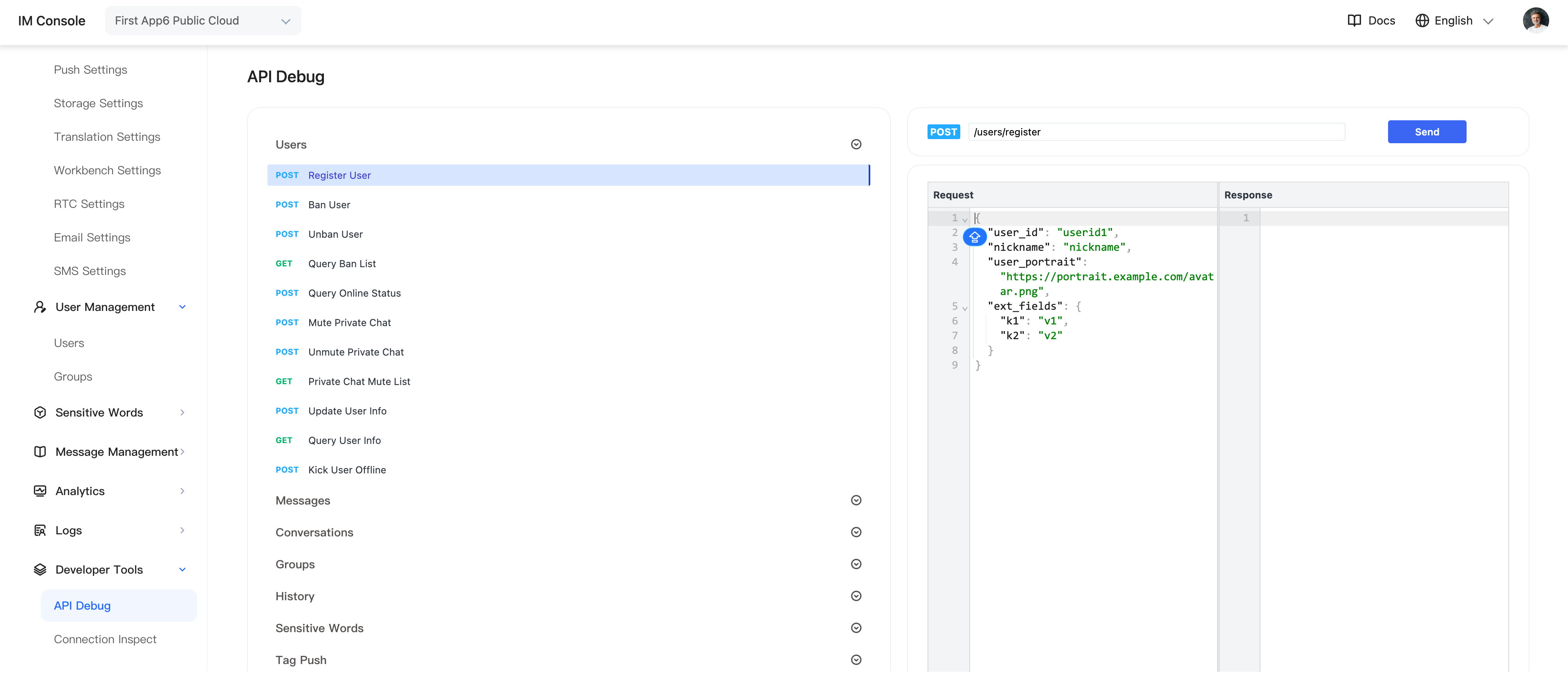
Call the server API to obtain tokens, or in the Admin Console select Application > Developer Tools > API > Users, then call the user-registration API to obtain two test tokens.
Download the JavaScript SDK.
- Create an
HTMLfile nameddemo.html.
- Download juggleim-dev-1.9.0.zip and place
juggleim-dev-1.9.0.jsin the same directory asdemo.html.
- Copy the code below into
demo.html.
- Open
demo.htmlin Chrome to preview it.
<!DOCTYPE html>
<html lang="en">
<head>
  <meta charset="UTF-8">
  <title>IM</title>
  <script src="./`juggleim-dev-1.9.0.js"></script>
  <style>
    .container{
      height: 200px;
      width: 600px;
      background-color: rgb(119, 128, 226);
      margin: 200px auto;
      display: flex;
      align-items: center;
      justify-content: center;
      font-size: 40px;
      font-weight: bold;
      border-radius: 10px;
    }
  </style>
</head>
<body>
  <div class="container">Open the browser console to view the result</div>
  <script>
    // prepare basic information
    let appkey = 'Your AppKey';
    let token = 'Your Token';
    // WebSocket domain name or IP address of the private deployment
    let serverList = [
      'https://demo.im.com',
      'http://demo.im.com',
      'http://10.23.31.111:8080',
    ];

    // Step 1: Initialize the SDK; this is required only once globally
    let jim = JuggleIM.init({ appkey, serverList });
    let { Event, ConnectionState, ConversationType, MessageType } = JIM;

    // Step 2: Set the status listener; this is required only once globally
    jim.on(Event.STATE_CHANGED, ({ state, user }) => {
      if(ConnectionState.CONNECTING == state){
        console.log('im is connecting');
      }
      if(ConnectionState.CONNECTED == state){
        // user => { id: 'xxx' }
        console.log('im is connected', user);
      }
      if(ConnectionState.DISCONNECTED == state){
        console.log('im is disconnected');
      }
    });

    // Step 3: Set the message listener; this is required only once globally
    jim.on(Event.MESSAGE_RECEIVED, (message) => {
      console.log(message);
    });

    // Step 4: Connect; call this only once globally. Message and conversation APIs require a successful connection
    jim.connect({ token }).then((result) => {
      console.log(result)
    }, (error) => {
      console.log(error)
    });
  </script>
</body>
</html>
Important
The demo stops after a successful connection. In a production project, select JIM capabilities as needed by following the integration documentation.