Prerequisites
- Create an application in the
Admin Consoleto obtain anAppKeyandSecret.
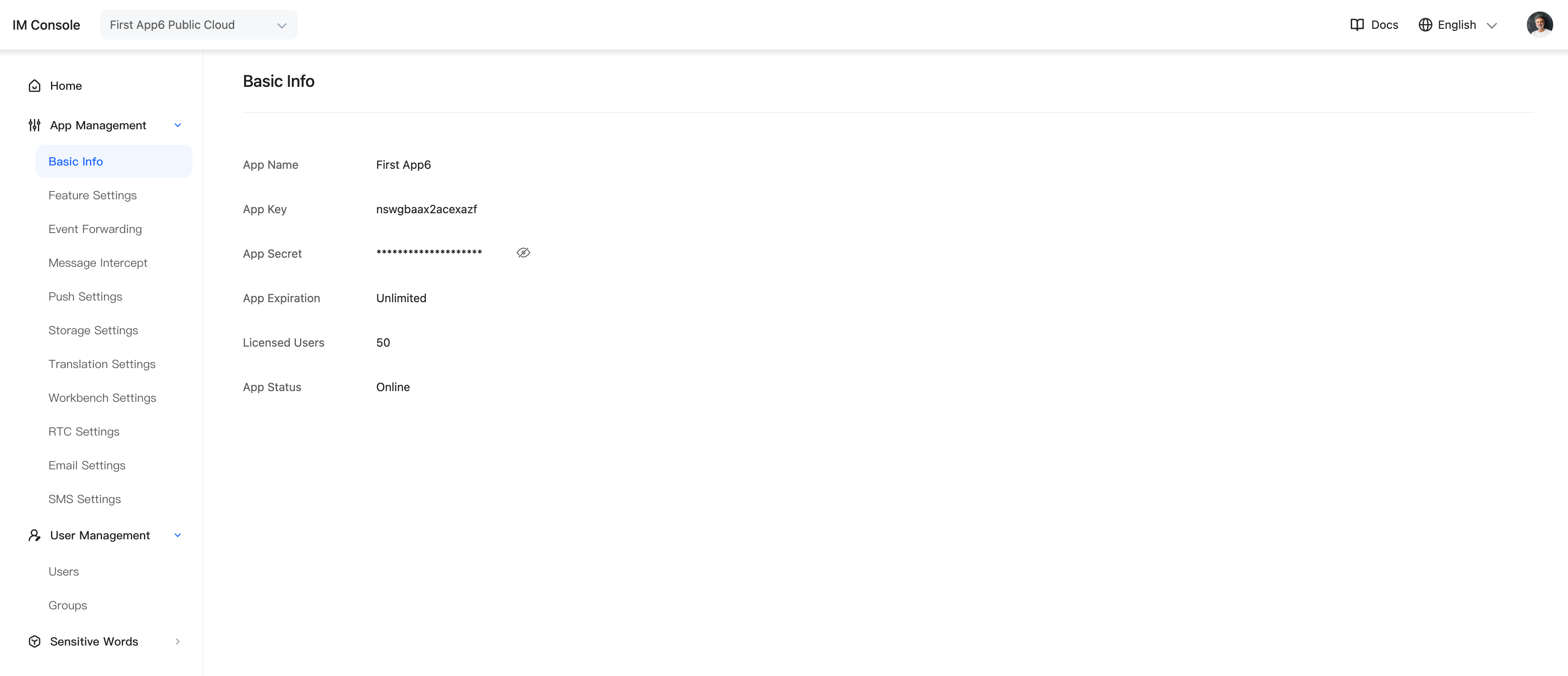
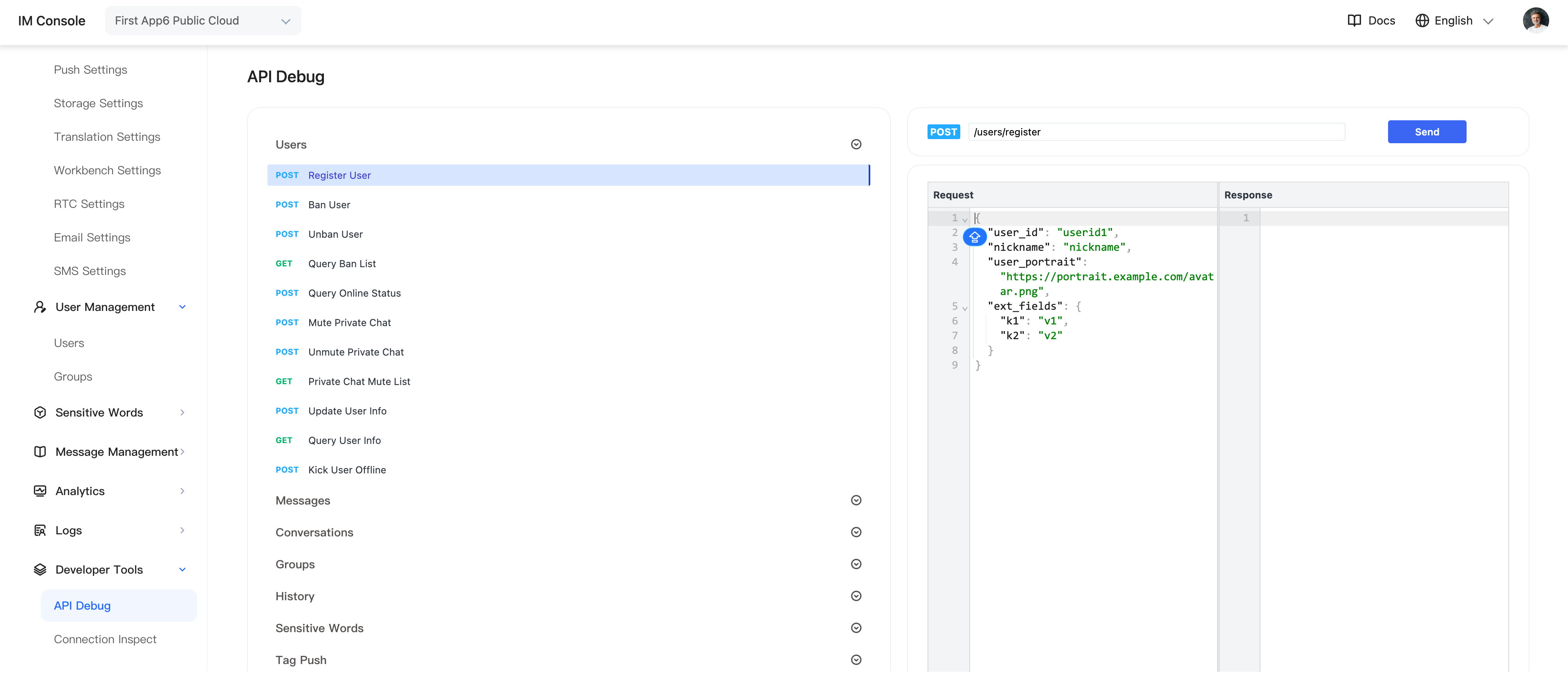
- Call the server API to obtain tokens, or in the Admin Console select Application > Developer Tools > API > Users, then call the user-registration API to obtain two test tokens.
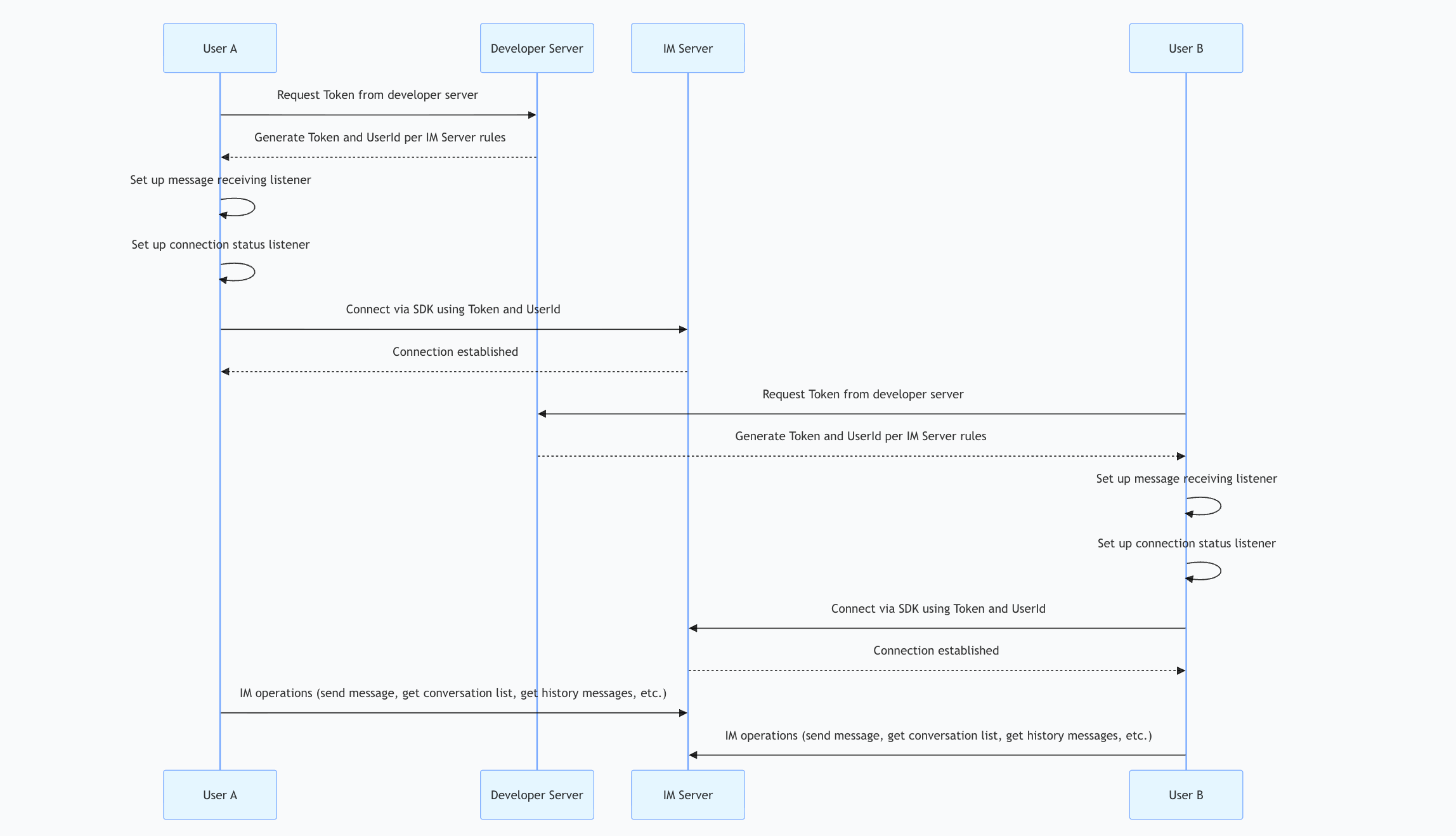
- Complete the integration by following the documentation.
Workflow
Add Dependencies
In addition to importing the SDK, add the following dependencies.
implementation 'org.java-websocket:Java-WebSocket:1.5.5'
implementation 'com.google.protobuf:protobuf-javalite:3.18.0'
implementation 'com.qiniu:qiniu-android-sdk:8.7.0'
Example
List<String> serverList = new ArrayList<>();
serverList.add("wss://ws.im.com");// "wss://ws.im.com" replace with the deployed server URL
JIM.getInstance().setServerUrls(serverList);
JIM.getInstance().init(this, "appkey");
JIM.getInstance().getConnectionManager().addConnectionStatusListener("mainActivity", new IConnectionManager.IConnectionStatusListener() {
        @Override
        public void onStatusChange(JIMConst.ConnectionStatus status, int code, String extra) {
        Log.i("TAG", "main activity onStatusChange status is " + status + " code is " + code);
        if (status == JIMConst.ConnectionStatus.CONNECTED) {

        }
    }
    @Override
    public void onDbOpen() {

    }
    @Override
    public void onDbClose() {

    }
});
JIM.getInstance().getConnectionManager().connect("token");